
Changelog

Follow new updates and improvements to IntervalCoach.

Changelog: Week of November 13

Shape any single week

Every week on the Plan page now has an "Edit week" button. Set that one week's type, its load in TSS or hours, how many hard sessions it gets, and which days you're available and for how long, the current week included. The plan rebuilds right away, and the week after goes back to your usual schedule. Changing a race updates your plan straight away too, including the shorter taper when an A race becomes a B race, and so does changing a setting like cadence targets, test frequency or methodology. Weeks also reach their targets: a hard ride on a long day now fills the rest of the day with endurance, and new athletes get targets that match the training they actually do. When you train far more than your schedule allows, the Plan page tells you, with a button to adjust it.

Plans that learn your real week (beta)

Some patterns only show over weeks: a weekday that rarely happens, stress building in your morning check-ins, HRV drifting down. When IntervalCoach sees one your data can't explain, it checks with you, and your answer shapes the plan from then on. Everything it learns lands in Settings under "What your coach knows about you", where you can rewrite or remove any item. On our public roadmap since July; turn it on in Settings → Beta.

For coaches

A new third coaching style per athlete: "You plan everything". The AI puts no sessions on that athlete's calendar, while it keeps analysing and flagging what needs your attention. A session you add or edit stays exactly as you set it, and with Coach-led, the AI's proposed changes reach your athlete only after you approve them. Switching between athletes now always shows the right athlete's data.

Add workout and the workout builder

"Add workout" on a calendar day now opens one screen: start from a description, a quick type, the library or blank, and see the finished session before it goes on your calendar. In the workout builder you can copy a step or a whole block, with an easy recovery step between the sets.

Also new

IntervalCoach now speaks Russian, Ukrainian and Turkish: 28 languages, on the web and in the iPhone app. If you signed up through Intervals.icu and that connection ends, you stay signed in, with your plan and history in your IntervalCoach account. Swim analysis now judges your effort by your pace against your CSS rather than wrist heart rate in the water, and easy runs get a true easy pace. Two new strength sessions arrive, and strength days now rotate between them.

Bug fixes & reliability

With Daily adaptation off, your planned session stays exactly as planned. A sudden FTP jump, such as one you set by hand, is treated as a reset. Reconnecting Intervals.icu brings in the activities you missed, and short sessions are no longer named as long ones.

Full changelog with all the details: https://www.intervalcoach.app/changelog
As always, let me know if you run into any issues or have feedback!
Changelog: Week of November 7

Pool swims, written like a coach writes them

Set your swim threshold pace (CSS) and your pool length (25 m, 50 m, 25 yd or any other length) under Settings, Zones & Testing, Swimming. Every swim is built from them, in round distances and whole lengths of your pool, and always finishes at the wall you started from. Rests fit the effort: a short stop after easy swimming, 15 seconds after threshold 100s, longer after sprints. Technique work comes after the warm-up under its own heading, with named drills like sculling and 6-1-6. Hard swims get a short "Prep" set building to race pace. Swims sent to your Garmin count in yards in a yard pool and show drills as drills, and sets you ask Coach+ for keep the distances you asked for.

Day types and sessions per sport

Mark each day of your schedule as intensity, long or easy, or leave it to the planner. Your coach can set it too. When recovery has to come first, the session says why. You can also set how many rides, runs or swims you want each week, as any number, at least, exactly or at most, in your Training schedule or in your coaching instructions ("at least 2 swims a week"). With two or more swims a week, one is a technique session. Adding a race from its race page now asks whether it is an A, B or C race. You can take a day off in a week that is already planned, and the calendar popup moves a session you missed to today. The calendar now opens on this week and the weeks ahead, with last week folded into one line.

For coaches

Choose Coach-led or AI-led per athlete. With Coach-led, every change the AI proposes waits for your approval, with a push right away and a short 07:00 email on mornings when something is waiting. Leave feedback on a completed workout: your athlete gets notified and can reply, and the AI reads your feedback in its next analysis. Write a method once, a named set of coach notes and weekday types, and link it to the athletes it applies to. You can now request a 14-day Coach Plan trial with 3 seats, choose yearly billing, and connect Claude or ChatGPT to see who needs attention today and move a session after you confirm it.

In the iOS & Mac apps

The iPhone app has the new swim settings (CSS and pool length) and a swim pace chart, and you can accept a coach invite right inside the app. Pull to refresh on the calendar really reloads it, Today no longer jitters on iOS 17, distance steps in the workout builder move in 0.1 km, and taking a day off works on a planned day.

Bug fixes & reliability

Planned workouts reach your Garmin reliably again on busy mornings. A plan rebuild that cannot finish leaves your calendar as it was. Hard sessions stay on your Intensity days, and a sport you do less of grows step by step instead of jumping in one week. A ride your head unit already sent no longer shows up a second time when the Apple Health copy arrives. A Garmin bike computer no longer sets your resting heart rate from your ride. Sleep scores out of 10 (such as HRV4Training) count correctly in your readiness, and marathon and 30K personal records are now recognised. Running cadence shows in steps per minute, and imperial users enter race distances in miles. While your Intervals.icu connection needs renewing, your daily workout, plan and Analytics keep running from your other connections.

Full changelog with all the details: https://www.intervalcoach.app/changelog
As always, let me know if you run into any issues or have feedback!

New: IntervalCoach in ChatGPT's plugin directory

Your coach, right inside ChatGPT

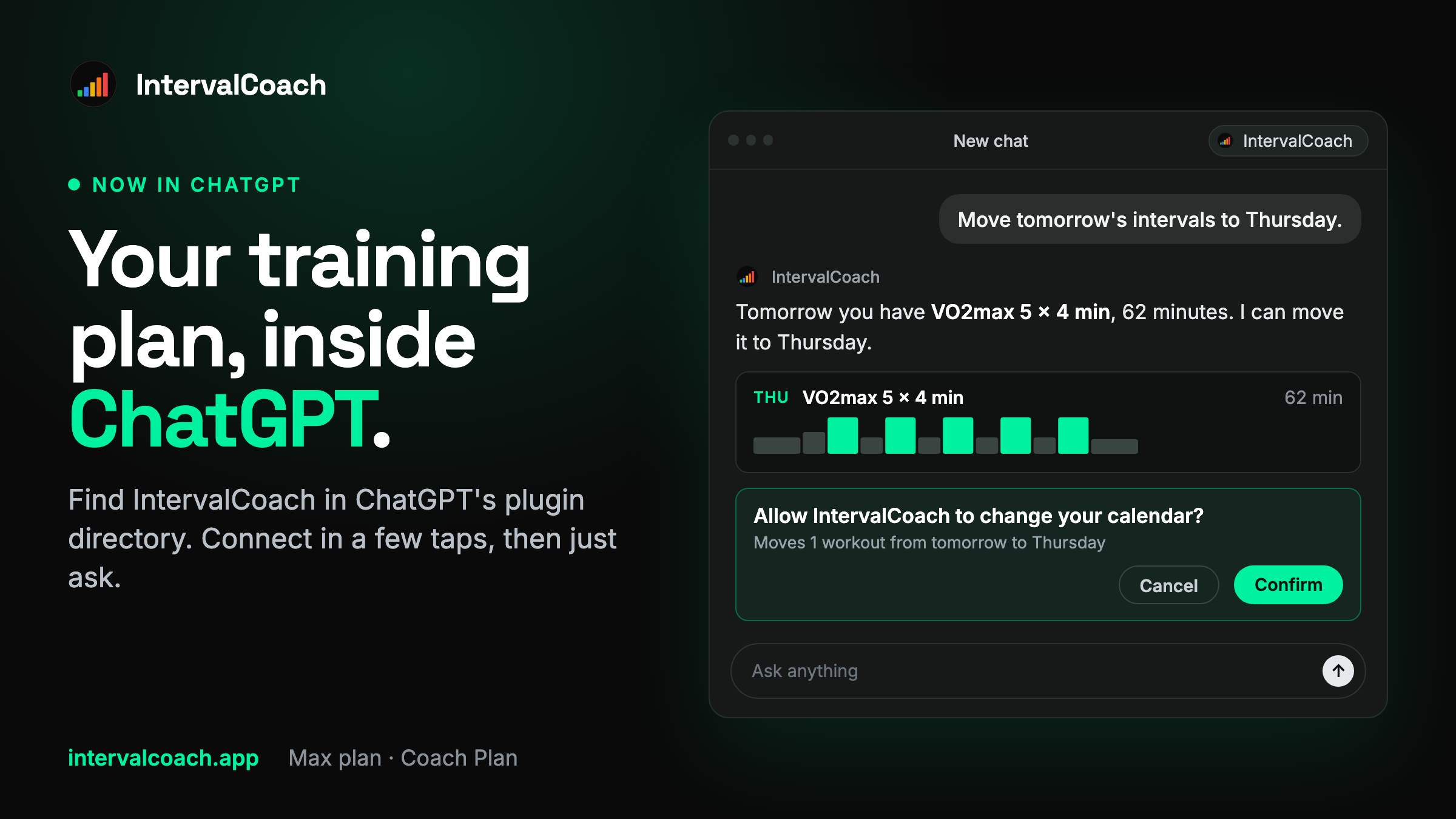
IntervalCoach is now listed in ChatGPT's plugin directory. Open Plugins in ChatGPT, search for IntervalCoach, connect and sign in, and your coach is in the chat. It works on chatgpt.com and in the ChatGPT apps on iPhone and Android, with no developer mode and no server address to copy: find it here.

Ask about your own training

It works with your actual plan, workouts, recovery and races, so you can just ask: "What should I train today?", "How did yesterday's ride go?" or "Am I on track for my goal race?"
And it can act on the answer. Move tomorrow's intervals to Thursday, scale Saturday's long ride down 20% and make it indoor, or add a race to your calendar. ChatGPT asks for your OK before it changes anything on your calendar. Coaches on the Coach Plan can ask about the athletes they coach the same way.

Part of Max

The connection is part of Max, and coaches on the Coach Plan can connect too. If you're on Pro or a trial, you can upgrade right from the connect screen and carry straight on connecting.

Claude, Cursor and other assistants

They keep working as before, through https://www.intervalcoach.app/api/mcp. The help article has the steps for each one.
As always, let me know if you run into any issues or have feedback!

Earlier updates